

Staying consistent with exercise can be challenging, especially when you’re trying to balance workouts, work, and everyday responsibilities. Knowing how active you are, how your body responds to exercise, and whether your routine is progressing can make fitness planning much easier.
How to Use Fitness Trackers to Improve Your Workout Routine This is where fitness trackers can help. From smartwatches to simple activity bands, wearable devices allow you to monitor daily movement, record workouts, and review useful information about your activity levels.
However, wearing a fitness tracker isn’t enough to improve your fitness. The real value comes from understanding the data and using it to make better decisions about your workouts, recovery, and daily habits.
Whether you’re a beginner starting a fitness journey or someone looking to make an existing routine more organized, this guide explains how to use fitness trackers effectively and get more out of your workouts.

What Is a Fitness Tracker and How Does It Work?
A fitness tracker is a wearable device that records information about your physical activity and, depending on the model, certain health-related measurements.
Most fitness trackers use sensors to collect movement and heart rate information. Some advanced devices also include GPS, sleep monitoring, and workout analysis features.
Common measurements include:
- Daily steps and movement
- Heart rate during exercise
- Workout duration
- Estimated distance
- Calories burned estimates
- Sleep duration and patterns
- Activity minutes
- Recovery and readiness estimates
The collected information is usually displayed through the device itself or a connected smartphone application.
Although these measurements can provide useful insights, they are estimates. Their accuracy depends on the device, activity type, sensor quality, and how the tracker is worn.
Benefits of Using a Fitness Tracker for Exercise
Fitness trackers can make it easier to understand your activity habits and organize your training.
Here are some of the main advantages.
1. Helps You Monitor Your Daily Activity
One of the simplest uses of a fitness tracker is monitoring everyday movement.
Step counts and activity summaries can help you understand how much you move throughout the day.
For example, if you spend several hours sitting at work, your tracker may help you notice opportunities to include short walks or movement breaks.
2. Makes Workout Progress Easier to Follow
Tracking your exercise sessions allows you to look back at previous workouts and understand your training habits.
You can monitor workout frequency, duration, distance, and other available measurements.
Over time, these records can help you identify patterns and make adjustments to your routine.
3. Provides Useful Heart Rate Information
Many fitness trackers measure your heart rate during physical activity.
This information can help you understand how your body responds to different exercise intensities.
For example, a comfortable walk and a faster cycling session will generally produce different heart rate responses.
4. Encourages Regular Exercise
Movement reminders and activity notifications can encourage you to take breaks from sitting and remember planned workouts.
These small reminders can be useful when you’re trying to establish a consistent exercise habit.
5. Helps You Understand Your Sleep Habits
Some fitness trackers provide estimates of sleep duration and patterns.
Reviewing these measurements may help you notice changes in your sleep habits and consider how your daily routine affects recovery.
However, sleep tracking is not a medical sleep assessment, and individual readings should not be treated as exact measurements.
6. Makes Workout Planning More Organized
Instead of remembering every workout, you can use your tracker to record your activity history.
This information can help you plan future sessions, review your weekly activity, and identify areas where your routine could become more balanced.

7 Fitness Tracker Features You Should Know
Before using a fitness tracker regularly, it’s useful to understand the features that can provide the most value.
1. Step Tracking
The step counter records estimated steps throughout the day.
This feature is useful for monitoring general movement and understanding your walking habits.
You can review your activity over several days rather than worrying about reaching a specific number every day.
2. Heart Rate Monitoring
Heart rate monitoring measures the number of times your heart beats per minute.
During exercise, this information can help you understand changes in intensity.
Some devices also display heart rate zones, which can provide general guidance during cardiovascular workouts.
3. GPS Tracking
GPS allows compatible devices to record outdoor routes and estimate distance and pace.
This feature can be particularly useful for:
- Outdoor walking
- Running
- Cycling
- Hiking
Some trackers have built-in GPS, while others use a connected smartphone.
4. Workout Modes
Many fitness trackers include activity modes for different types of exercise.
Depending on the device, these may include:
- Strength training
- Walking
- Running
- Cycling
- Swimming
- Yoga
- Pilates
- Indoor workouts
Selecting the correct activity mode can help organize your workout records.
5. Sleep Monitoring
Sleep monitoring estimates how long you sleep and may provide information about sleep stages.
It can help you notice general patterns, although these estimates are not always precise.
6. Recovery Tracking
Some advanced devices provide recovery scores using information such as sleep, heart rate, and heart rate variability.
These estimates may offer additional context when planning exercise intensity.
However, they should not replace your own judgment or professional medical guidance.
7. Workout History
Workout history is one of the most useful features for building a consistent routine.
It allows you to review previous sessions and compare activity patterns over time.
How to Use a Fitness Tracker to Improve Your Workout Routine
The most effective way to use a fitness tracker is to connect its information with realistic fitness goals.
Here are seven practical steps to get started.
1. Choose a Clear Fitness Goal
Before tracking anything, decide what you want to improve.
Your goal could be:
- Becoming more consistent with exercise
- Improving cardiovascular fitness
- Building strength
- Walking more regularly
- Developing a balanced weekly routine
Having a clear goal helps you decide which tracker measurements are worth monitoring.
For example, someone who enjoys running may find GPS and pace tracking useful, while someone focused on strength training may prefer workout history and activity recording.
2. Record Your Starting Activity Level
Spend the first week observing your usual activity without trying to change everything immediately.
Look at your average movement, workout frequency, and the types of activities you perform.
This gives you a starting point and helps you set realistic goals.
3. Monitor Heart Rate During Cardio Workouts
Heart rate information can help you understand the intensity of activities such as walking, jogging, and cycling.
If your tracker displays heart rate zones, learn what they mean and use them as general guidance.
Remember that heart rate responses differ between individuals. Wrist-based readings can also become less accurate during activities involving frequent arm movement.
4. Track Every Workout
Use your fitness tracker to record planned exercise sessions.
After each workout, review the available information, including:
- Activity type
- Workout duration
- Distance
- Average heart rate
- Exercise frequency
If you perform strength training, consider recording your exercises, sets, and repetitions in a separate training journal.
This can provide more useful information than workout duration alone.
5. Use Sleep and Recovery Information Wisely
A balanced fitness routine includes both exercise and recovery.
Review your sleep patterns and recovery estimates as additional information, but don’t rely on them alone.
Consider your overall energy, comfort, and how you feel before deciding whether to complete a demanding workout or choose a lighter activity.
6. Review Your Weekly Progress
Checking your fitness data once or twice a week can be more useful than constantly watching your screen.
Look for patterns such as:
- Whether you completed your planned workouts
- Which activities you performed most frequently
- How your workout duration changed
- Whether your routine includes enough recovery
- Which activities you enjoy and want to continue
Use these observations to make small, manageable adjustments.
7. Adjust Your Routine Gradually
Once you understand your activity patterns, you can make practical changes.
For example, you might add another comfortable walking session, organize your strength workouts more consistently, or include more mobility work.
Avoid increasing exercise intensity or duration too quickly just because your tracker suggests a higher activity target.
How to Choose the Best Fitness Tracker for Your Needs
You don’t need the most expensive smartwatch to monitor your workouts.
The best option is the device that provides useful features for your activities and fits comfortably into your daily life.
Consider these factors before buying one.
Battery Life
Check how long the device can operate before needing another charge.
Longer battery life may be convenient if you want to record daily activity and sleep.
Comfort and Fit
Look for a device that feels comfortable during exercise and everyday activities.
An adjustable strap and suitable size can make a difference when wearing it regularly.
GPS Availability
If you frequently walk, run, or cycle outdoors, GPS can be useful for tracking routes and distances.
If you mainly exercise indoors, this feature may be less important.
Smartphone Compatibility
Check whether the tracker works with your smartphone and whether its companion application provides the information you need.
Water Resistance
If you swim or participate in water-based activities, check the manufacturer’s specifications to make sure the device supports your intended use.
Price and Features
Compare devices according to the features you will actually use.
A basic fitness band may be enough for monitoring steps, workouts, and general activity.
More advanced models may offer detailed GPS, training analysis, and additional recovery measurements.
Common Fitness Tracker Mistakes to Avoid
Fitness trackers can be helpful, but relying too heavily on their measurements can sometimes create unnecessary pressure.
Here are six mistakes to avoid.
1. Treating Every Measurement as Exact
Fitness trackers use sensors and algorithms to estimate different measurements.
Steps, calories, heart rate, and sleep data can all contain errors.
Use the information as a general guide rather than an exact measurement of your fitness.
2. Focusing Too Much on Calories Burned
Calorie estimates can vary significantly between devices and individuals.
Avoid treating these numbers as an exact measure of exercise or using them as the sole basis for food and training decisions.
3. Ignoring Recovery
Completing more workouts isn’t always better.
Your routine should include enough time for rest and recovery, especially after demanding exercise sessions.
4. Comparing Your Results With Others
Everyone has different activity levels, experience, schedules, and fitness needs.
Your own progress is a more useful comparison than someone else’s tracker data.
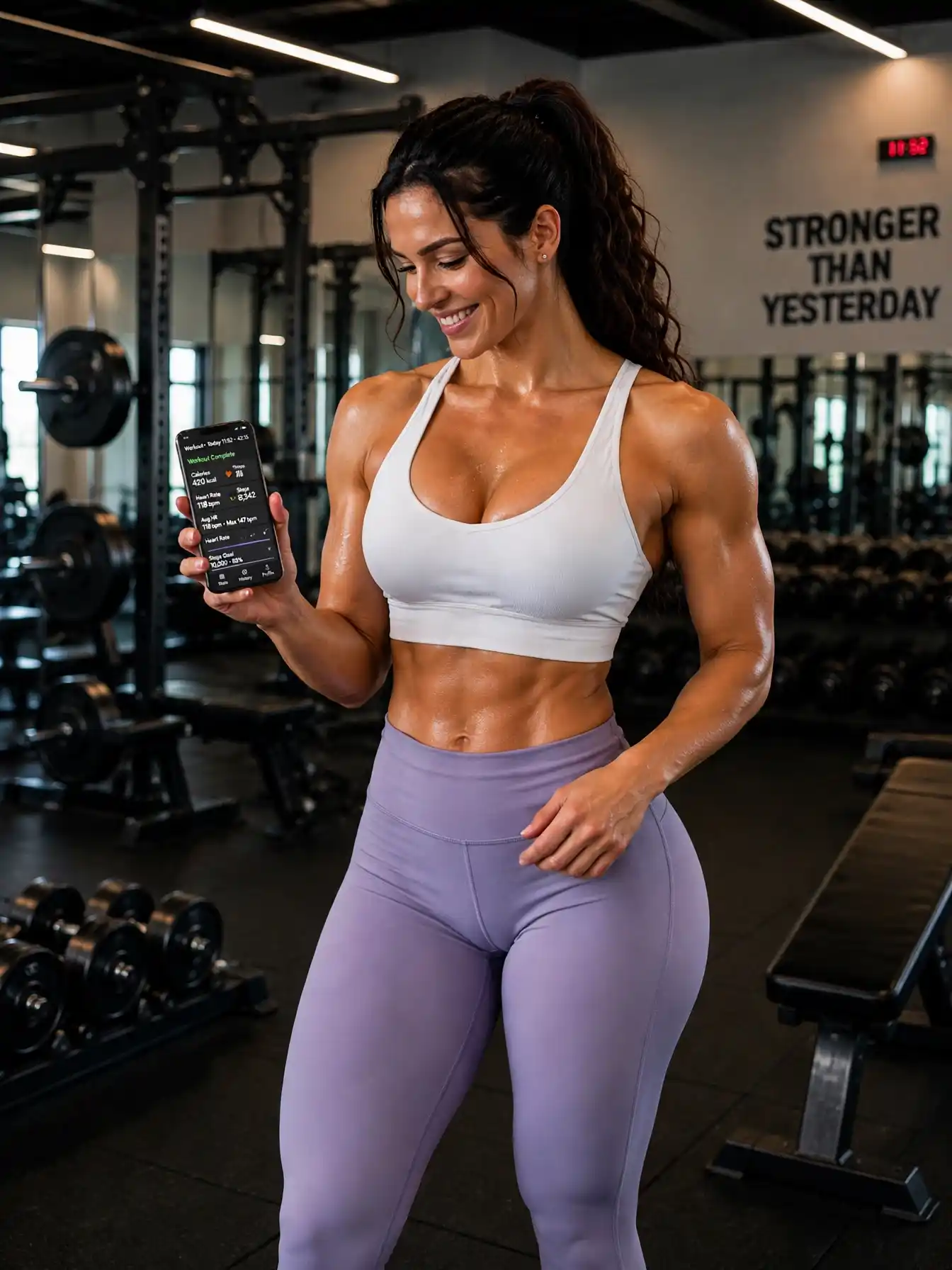
5. Checking Your Tracker Too Frequently
Constantly checking your activity numbers can become distracting.
Choose a few useful measurements and review them at suitable times rather than monitoring every change.
6. Forgetting to Enjoy Exercise
A fitness tracker should support your workout routine, not turn every activity into a competition.
Remember to enjoy activities such as walking, cycling, swimming, and strength training without feeling that every session needs to produce impressive numbers.
A Simple Weekly Workout Plan Using a Fitness Tracker
Here is an example of how to combine different activities with fitness tracking.
| Day | Activity | What to Monitor |
|---|---|---|
| Monday | 20-minute walk | Duration and distance |
| Tuesday | Full-body strength training | Workout history |
| Wednesday | Gentle Pilates or mobility | Activity duration |
| Thursday | Walking or cycling | Heart rate and duration |
| Friday | Full-body strength training | Exercises and repetitions |
| Saturday | Outdoor recreational activity | Activity type and distance |
| Sunday | Rest or gentle movement | General recovery habits |
This is a flexible beginner-friendly example. Adjust the activities according to your experience, schedule, and fitness level.
How to Stay Motivated With a Fitness Tracker
Building a healthy exercise habit takes time. A fitness tracker can provide useful feedback, but motivation also comes from choosing activities you enjoy.
Set Realistic Goals
Choose manageable goals that fit your lifestyle.
For example, you might aim to complete your planned workouts each week rather than trying to improve every tracker measurement.
Celebrate Small Achievements
Completing a workout, maintaining a walking habit, or following your weekly schedule are all positive steps.
Progress doesn’t always need to involve a new personal record.
Try Different Activities
Explore different forms of exercise, including walking, cycling, Pilates, swimming, and strength training.
Variety can make your routine more enjoyable.
Review Your Progress Monthly
Looking at several weeks of activity can help you identify patterns and understand which habits are working well.
Take a Break From Notifications
If constant reminders become distracting, adjust your notification settings.
Your fitness routine should fit your life rather than create unnecessary stress.
Frequently Asked Questions
Are fitness trackers worth it for beginners?
Yes. Fitness trackers can help beginners understand daily activity, record workouts, and monitor general progress. Even a basic device can provide useful information when building an exercise habit.
Can a fitness tracker improve workout performance?
A tracker can help you monitor workout duration, heart rate, distance, and exercise frequency. Reviewing this information may help you make more informed adjustments to your training routine.
How accurate are fitness trackers?
Accuracy varies depending on the device, activity, and measurement. Step counts and heart rate readings can be useful for general monitoring, while calorie expenditure and sleep-stage estimates are often less reliable.
Should I wear my fitness tracker all day?
You can wear it throughout the day if it is comfortable and you find the information useful. Follow the manufacturer’s recommendations for cleaning, charging, and proper use.
Do fitness trackers work for strength training?
Many devices include strength-training modes, but their capabilities differ. Some record workout duration and heart rate, while others allow you to log exercises, sets, and repetitions.
Can a fitness tracker monitor sleep?
Many modern trackers estimate sleep duration and patterns. These measurements can help you observe general trends but should not be treated as a medical assessment.
Do I need an expensive smartwatch to track workouts?
No. Basic fitness bands can provide useful activity and workout information. Choose a device according to your needs, preferences, and budget.
Final Thoughts
Fitness trackers can be valuable tools for making your workout routine more organized and understanding your daily activity.
By monitoring workouts, reviewing heart rate information, and observing activity patterns, you can gain useful insights into your exercise habits.
However, the most important part of fitness isn’t the number displayed on your wrist. It’s building a balanced routine that includes regular movement, appropriate strength training, cardiovascular exercise, and enough recovery.
Choose the features that genuinely help you, set realistic goals, and use your fitness data to support healthy habits.
With consistency and a sensible approach, a fitness tracker can become a useful companion on your fitness journey.